Features
Everything Geovoya does, on real phones
From a single fixed point to three phones walking and driving at once. Geovoya runs on Windows and macOS and controls iPhone and Android over USB or Wi-Fi.
- Every plan
- 8 core features
- Pro adds
- 9 more
- Phones
- Up to 3 at once
- Runs on
- Windows · macOS
- Controls
- iOS 17.4+ · Android 8+
Every plan
Core features
The free plan covers one phone with fixed locations, two-stop road routes at 45 mph, 3 saved routes, place search and keyboard shortcuts.
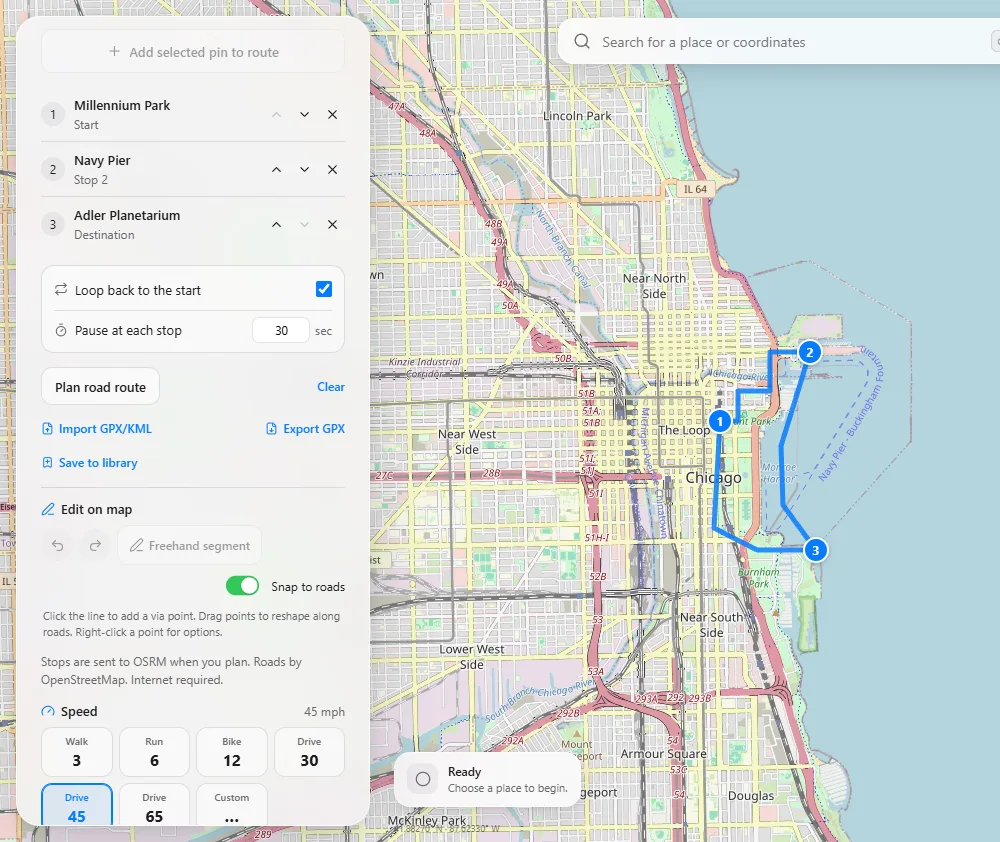
Fixed location
Search for a place, drop a pin or type coordinates, then Set location. Geovoya keeps the point in place and reconnects the same phone if the cable blips.
Road routes
Plan a start-to-destination route on OpenStreetMap roads and play it back with a new position every second. Pause, resume and hold at the destination.
USB or Wi-Fi
Start on a cable, then switch the same phone to your Wi-Fi network in one click. The current location and a running route carry over.
Guided iPhone setup
A live checklist for iOS 17.4+: the Trust prompt appears on its own, Geovoya reveals the hidden Developer Mode switch and mounts Apple’s developer image automatically.
Android 8+ over ADB
Bundled ADB and a mock-location helper that Geovoya installs and selects for you. No root. Android 11+ can also pair over Wi-Fi without a cable.
Keyboard shortcuts
Enter to set, Space to start or pause, R to restore, ⌘K / Ctrl+K to search, and ? for the full list.
Honest restore
Restore real location clears the simulation. Status shows what the phone actually acknowledged, and a lost connection is never shown as restored.
No telemetry
No analytics and no cloud location history. Cloud sync is off until you turn it on, and until then your places and routes never leave your computer.
Geovoya Pro Pro
Pro features
9 features for testing and power use, in one plan.
Walk mode
Steer the location with an on-screen joystick or W A S D and the arrow keys. Shift sprints, Alt slows down, and the map follows along.
Any route speed
Walk 3, run 6, bike 12, drive 30, 45 or 65 mph, or any speed from 1 to 120 mph. Change it mid-route and see time remaining and arrival.
Multi-stop routes
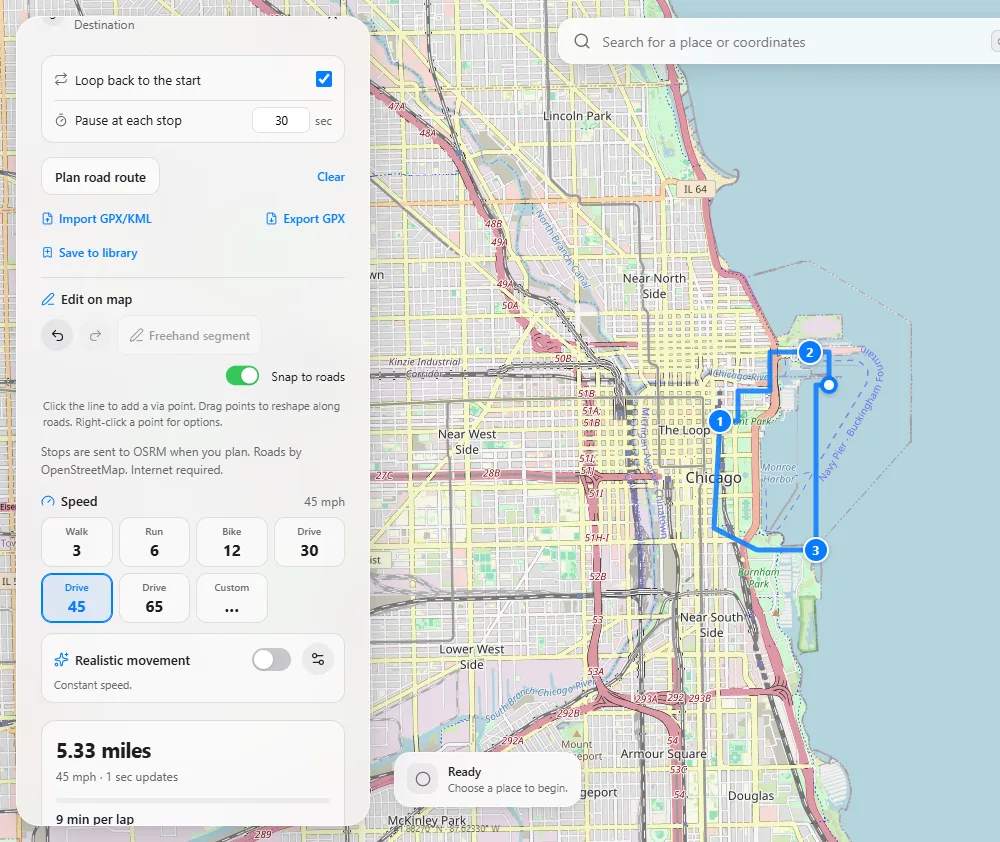
Up to 12 stops in order, reorder them, loop back to the start and pause for a set time at each stop.
GPX and KML
Import recorded GPX or KML tracks and waypoints, and export planned routes and saved places as GPX.
Realistic movement
Gradual acceleration, slowing for turns, optional stops at sharp turns, small speed changes and adjustable GPS drift.
Route library
Keep up to 500 routes with collections, favourites and notes. Search, sort and load one onto the map with a click.
Route editing on the map
Add via points, drag stops, draw straight segments and snap the changed part back to roads, with undo and redo.
Up to three phones
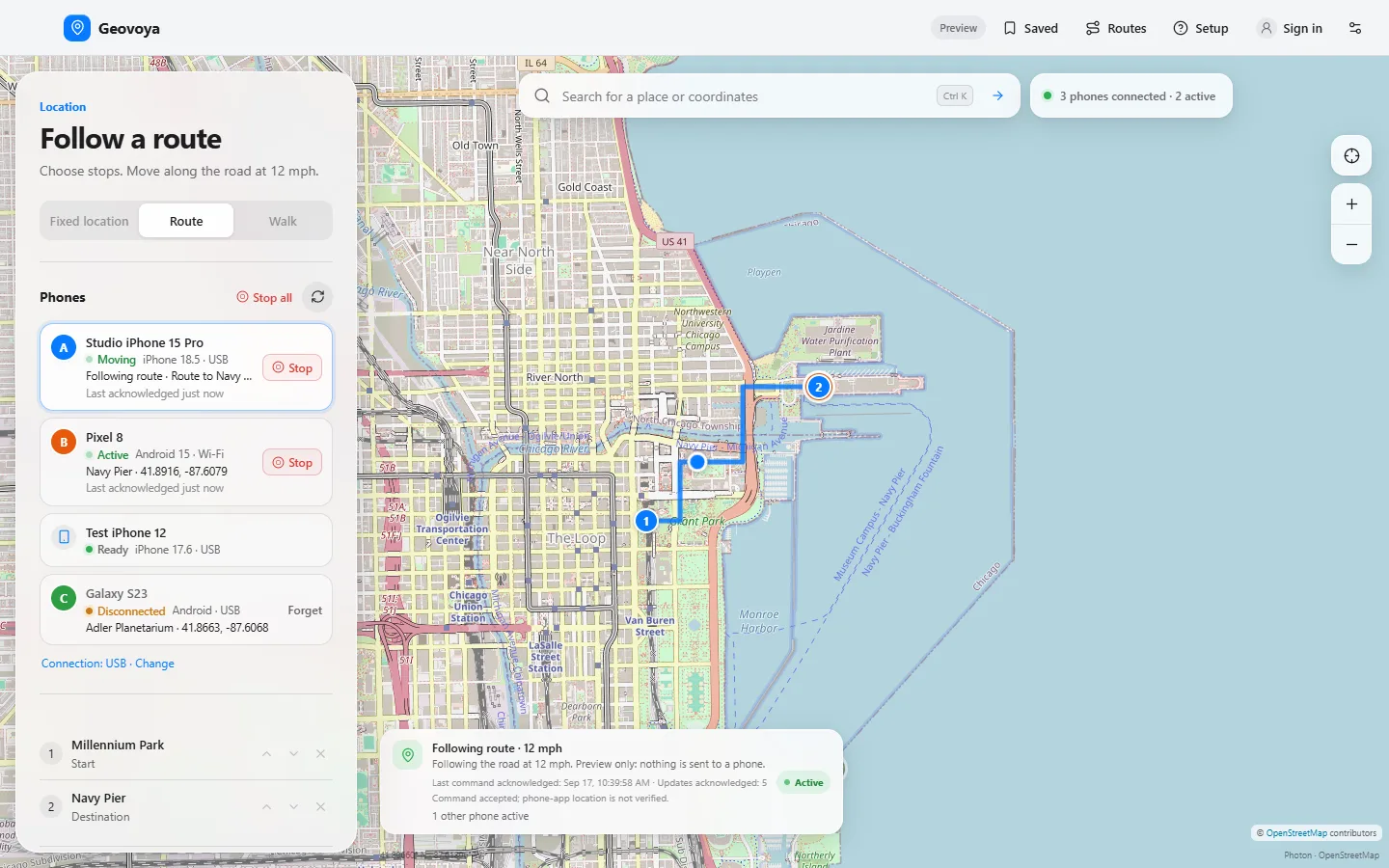
Simulate on up to three phones at once, each with its own location, route or walk, its own map marker and Stop all.
Cloud sync
Saved places, recent places, routes, play history and shared settings stay the same on every computer where you turn sync on. Off until you do.
Route editing Pro
Shape the route right on the map
Click the line to add a via point and drag it. Drag numbered stops, switch a segment between roads and a straight line, or draw freehand segments. With Snap to roads on, only the legs next to the moved point are re-planned. Undo and redo with Ctrl Z.
- Keyboard handles: Tab to a point, arrow keys move it 5 m
- Editing is locked while a route is running, so playback stays consistent
- Save edited routes to the library, with the exact path
Several phones Pro
One app, up to three phones
Every phone keeps its own session, lock and reconnect schedule. One shared one-second tick moves them all; a slow phone skips a tick instead of holding up the rest.
Under the hood
How the connection works
iPhone (iOS 17.4+) uses Apple’s developer services through the bundled open-source pymobiledevice3. Geovoya shows the Trust prompt, reveals the hidden Developer Mode switch and mounts the developer image automatically, also after every restart. The location is re-sent every second and each command is acknowledged.
Android (8.0+) uses bundled ADB and the open-source Appium Settings helper, which Geovoya installs and selects as the mock-location app.
Wi-Fi: after a working USB session, one click moves the phone to the same network and keeps the current location. Wi-Fi has automated test coverage but hasn’t been verified end to end on physical phones yet.
Keyboard
Fast from the keyboard
Shortcuts are ignored while you type or when a dialog is open, and you can limit them to Ctrl/⌘ combinations in Settings.
Try one now: press a key and its row lights up.
- WASD
- Walk (Pro); arrow keys work too
- Enter
- Set or update the location
- Space
- Start, pause or resume the route
- R
- Restore real location
- 123
- Fixed, Route or Walk tab
- []
- Slower or faster speed preset
- CtrlK
- Search places or coordinates (⌘K on a Mac)
- ?
- Show every shortcut
Privacy
What leaves your computer
| When | What is sent | To |
|---|---|---|
| Viewing the map | Map tile requests | OpenStreetMap tile servers |
| Searching | The text you search for | Photon (configurable) |
| Planning a route | Stop coordinates, no device identifiers | OSRM |
| First iPhone setup | Download of Apple’s developer image | Apple |
| Signed in (optional) | Account, plan check, and synced data with Pro | Geovoya Cloud |
The app has no telemetry or analytics. Map data © OpenStreetMap contributors. See the privacy policy.
Plans
Free and Pro compared
| Feature | Free | Pro |
|---|---|---|
| Location | ||
| Fixed location (search, pin or coordinates) | Included | Included |
| Road routes | Start + destination | Up to 12 stops |
| Route speed | 45 mph | 1–120 mph, presets |
| Loops and pauses at stops | Not included | Included |
| Walk mode (joystick, W A S D) | Not included | Included |
| Realistic movement and GPS drift | Not included | Included |
| Routes | ||
| Saved routes | 3 | 500, with collections |
| On-map route editing | Not included | Included |
| GPX / KML import and GPX export | Not included | Included |
| Route bundle import and export | Not included | Included |
| Devices and sync | ||
| Phones simulating at once | 1 | Up to 3 |
| iPhone (iOS 17.4+) and Android (8+) | Included | Included |
| USB and Wi-Fi connections | Included | Included |
| Cloud sync across computers | Not included | Included |
| Everything else | ||
| Place search and saved places | Included | Included |
| Keyboard shortcuts | Included | Included |
| Windows and macOS apps | Included | Included |
| Open source (GPL-3.0) | Included | Included |
Roadmap
Planned, not yet available
We’re working on these. They don’t exist yet, and details may change.
Hosted search and routingPlanned
Place search and road routing on dedicated servers, instead of the rate-limited public demo services the app uses today.
Team plan with seatsPlanned
Shared billing and per-seat phone limits for QA teams and device labs.
Command-line runnerPlanned
Drive phones from scripts and CI: pick devices, load a GPX file and play it back headlessly.
Signed installersPlanned
Code-signed, notarized builds that open without security warnings.
Put your phone anywhere in minutes
Download Geovoya for Windows or macOS, connect your phone and set your first location. The free plan never asks for an account.
Geovoya runs on your Windows PC or Mac and controls your phone over USB.